8kSec FactsDroid Walkthrough
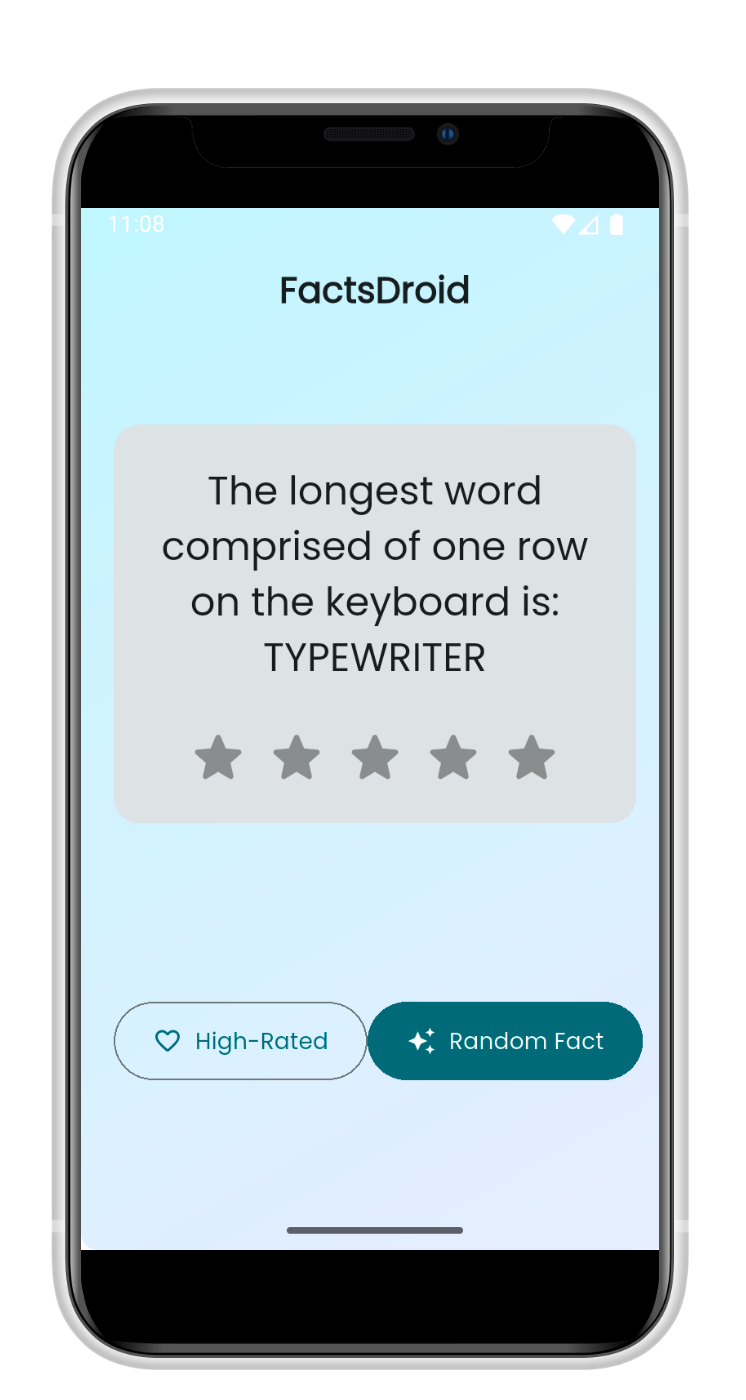
Objective
Learn the art of network interception. Your goal is to intercept the network traffic generated by FactsDroid in a tool that supports dynamic tampering with network traffic such as Burp Suite or Charles Proxy. You should be able to view and modify the API requests and responses between FactsDroid and the backend server without statically patching the provided APK.
Successfully implement a Machine-in-The-Middle (MITM) attack that allows you to manipulate the facts being displayed to the user, potentially inserting custom content or modifying the retrieved facts before they reach the application.
Successfully completing this challenge demonstrates important skills in network security analysis, understanding of mobile app API interactions, and highlights the importance of proper certificate validation and network traffic encryption in mobile applications.
Static Analysis
I start the challenge by doing some code review of the APK in JADX, I did an XREF search for the f502g and f503f string variables.
package com.eightksec.factsdroid;

import G.AbstractActivityC0004e;

/* loaded from: classes.dex */
public final class MainActivity extends AbstractActivityC0004e {

    /* renamed from: g, reason: collision with root package name */
    public static final /* synthetic */ int f502g = 0;

    /* renamed from: f, reason: collision with root package name */
    public final String f503f = "com.eightksec.factsdroid/root_check";
}
f503f didn’t lead anywhere interesting, but f502g revealed that the application is performing root checks, I make sure to note this down for later.
public void g(C.a aVar, O.j jVar) {
        boolean z2;
        boolean z3;
        boolean z4 = true;
        int i2 = MainActivity.f502g;
        h.e((MainActivity) this.f0b, "this$0");
        h.e(aVar, "call");
        if (!h.a((String) aVar.f4c, "isDeviceRooted")) {
            jVar.b();
            return;
        }

String str = Build.TAGS;
        if (str == null || !g.M(str, "test-keys")) {
            String[] strArr = {"/system/app/Superuser.apk", "/sbin/su", "/system/bin/su", "/system/xbin/su", "/data/local/xbin/su", "/data/local/bin/su", "/system/sd/xbin/su", "/system/bin/failsafe/su", "/data/local/su", "/su/bin/su"};
            int i3 = 0;
            while (true) {
                if (i3 >= 10) {
                    Process process = null;
                    try {
                        process = Runtime.getRuntime().exec(new String[]{"/system/bin/getprop", "ro.debuggable"});
                        String readLine = new BufferedReader(new InputStreamReader(process.getInputStream())).readLine();
                        z2 = readLine != null ? g.M(readLine, "1") : false;
                        process.destroy();
                    } catch (Throwable unused) {
                        if (process != null) {
                            process.destroy();
                        }
                        z2 = false;
                    }
                    if (!z2) {
                        try {
                            Process exec = Runtime.getRuntime().exec(new String[]{"su"});
                            if (exec != null) {
                                exec.destroy();
                            }
...
Given that there were some references to Flutter in the AndroidManifest, I decided to use blutter to see what artifacts I would find. During my search in JADX I also came across a cert in Resources > assets > flutter_assets > assets > certs. I make sure to keep note of this cert when searching through the blutter output.
            <meta-data
                android:name="io.flutter.embedding.android.NormalTheme"
                android:resource="@style/NormalTheme"/>
            <intent-filter>
                <action android:name="android.intent.action.MAIN"/>
                <category android:name="android.intent.category.LAUNCHER"/>
            </intent-filter>
        </activity>
        <meta-data
            android:name="flutterEmbedding"
            android:value="2"/>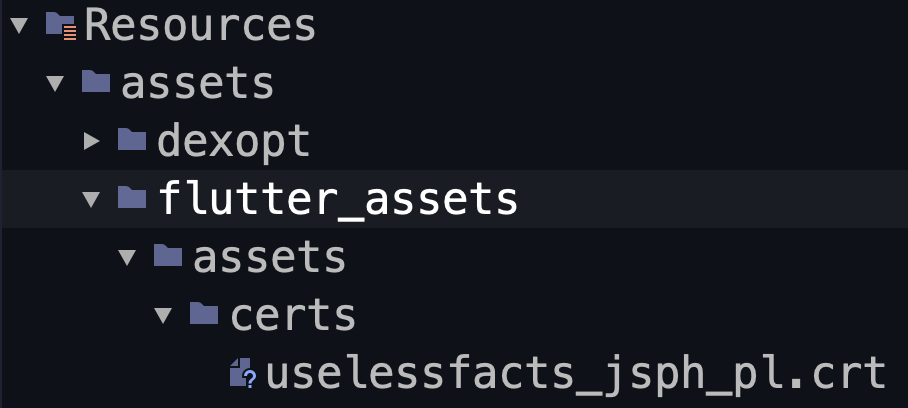
Uselessfacts CRT found in assets
After opening the output directory in VSCode, I decided to do a search for the word “*useless*” since that was mentioned in the cert name in JADX. I then discovered an API endpoint uselessfacts.jsph.pl/api/v2/facts/random.
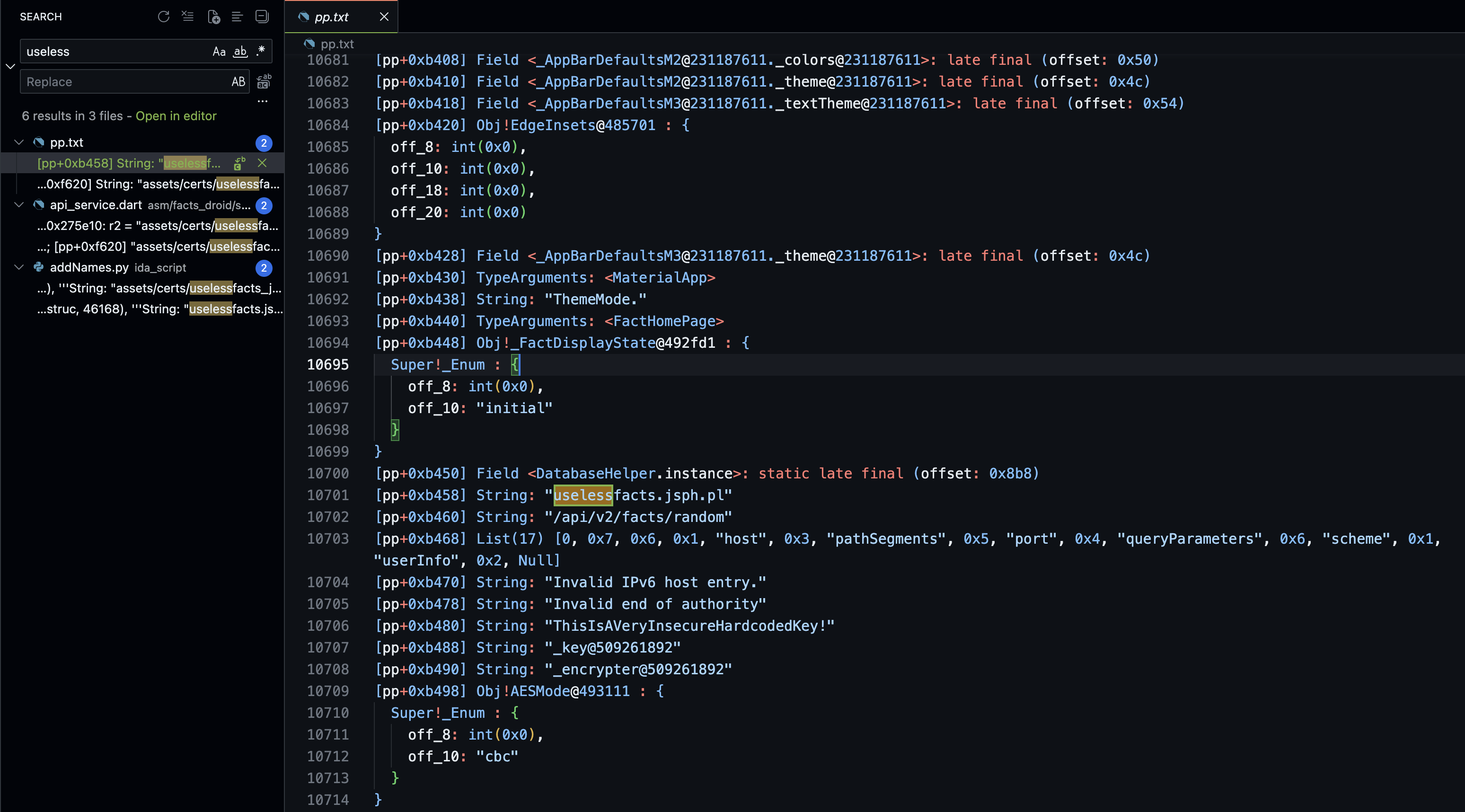
Interesting find in Blutter output for FactsDroid
[pp+0xb450] Field <DatabaseHelper.instance>: static late final (offset: 0x8b8)
[pp+0xb458] String: "uselessfacts.jsph.pl"
[pp+0xb460] String: "/api/v2/facts/random"
[pp+0xb468] List(17) [0, 0x7, 0x6, 0x1, "host", 0x3, "pathSegments", 0x5, "port", 0x4, "queryParameters", 0x6, "scheme", 0x1, "userInfo", 0x2, Null]
[pp+0xb470] String: "Invalid IPv6 host entry."
[pp+0xb478] String: "Invalid end of authority"
[pp+0xb480] String: "ThisIsAVeryInsecureHardcodedKey!"
[pp+0xb488] String: "_key@509261892"
[pp+0xb490] String: "_encrypter@509261892"
[pp+0xb498] Obj!AESMode@493111 : {
  Super!_Enum : {
    off_8: int(0x0),
    off_10: "cbc"
  }
}
Network Traffic Analysis
When visiting the url https://uselessfacts.jsph.pl, I am greeted with available API endpoints and accepted content types, at this point I proceed to analyzing HTTP traffic in Burp Suite.
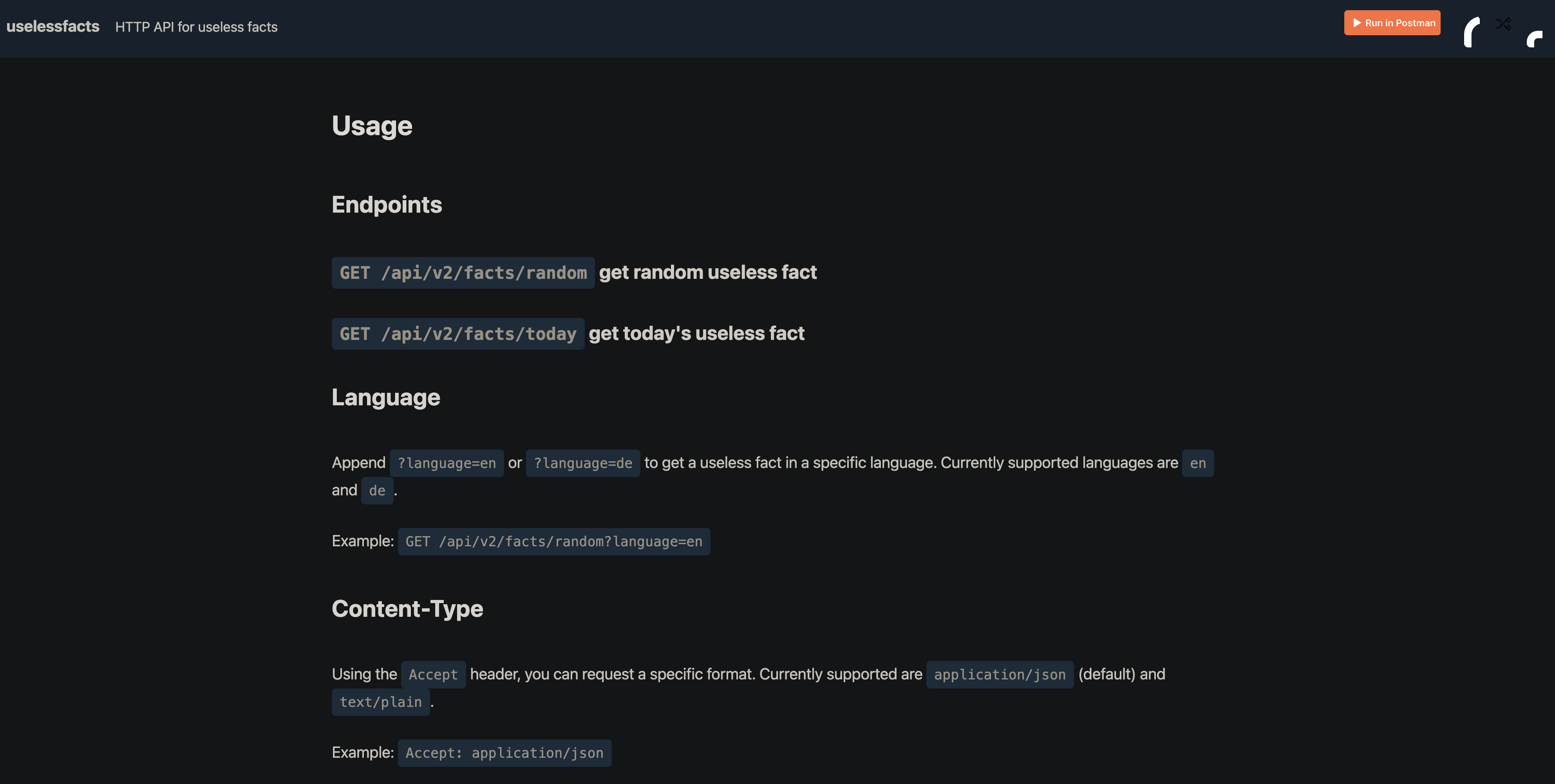
Available API endpoints and content types.
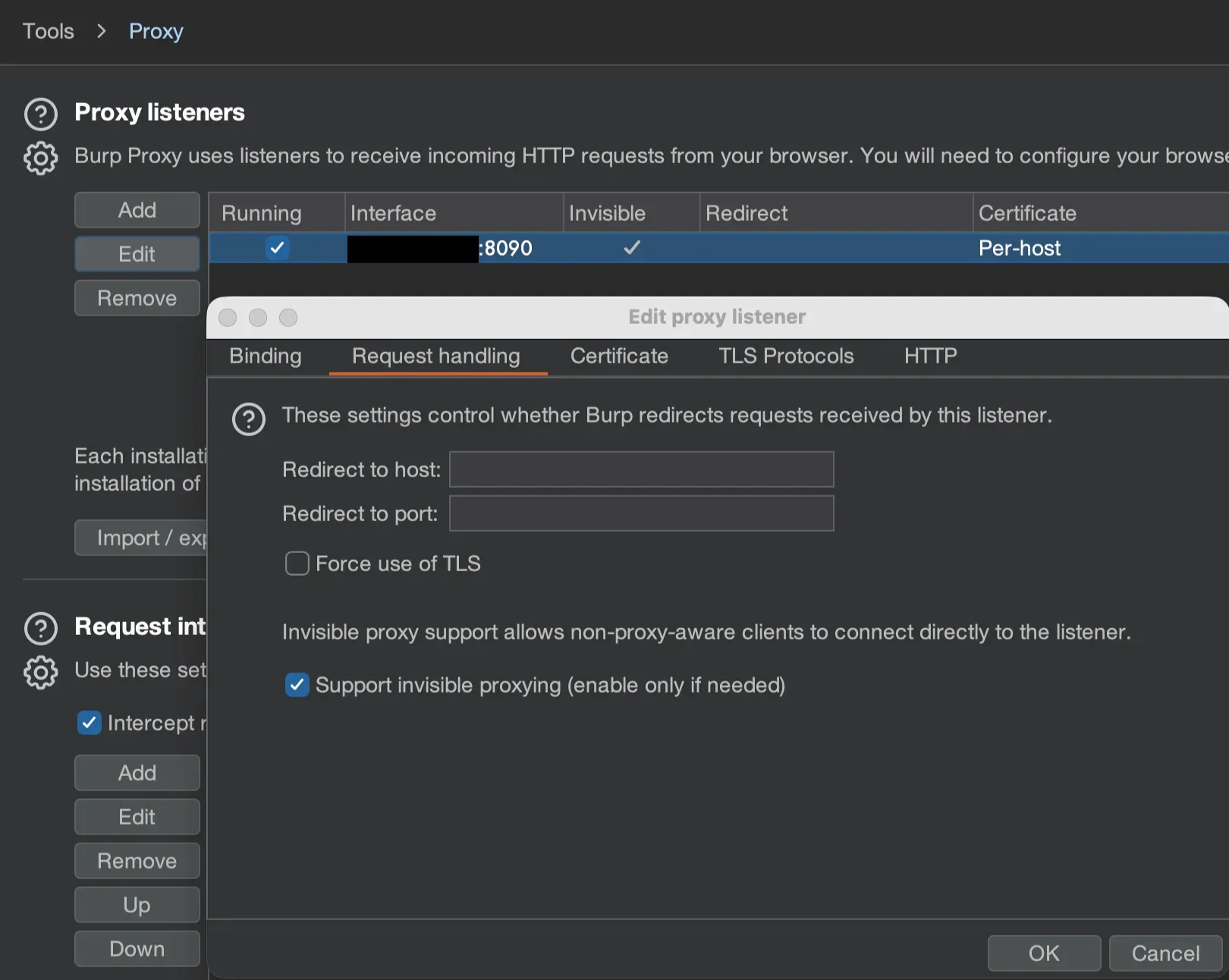
Enable “Invisible Proxying” in Burp
During my initial testing of network traffic analysis, I ran into an issue. Burp Suite was not displaying any traffic from the app to the server despite bypassing Flutter TLS.
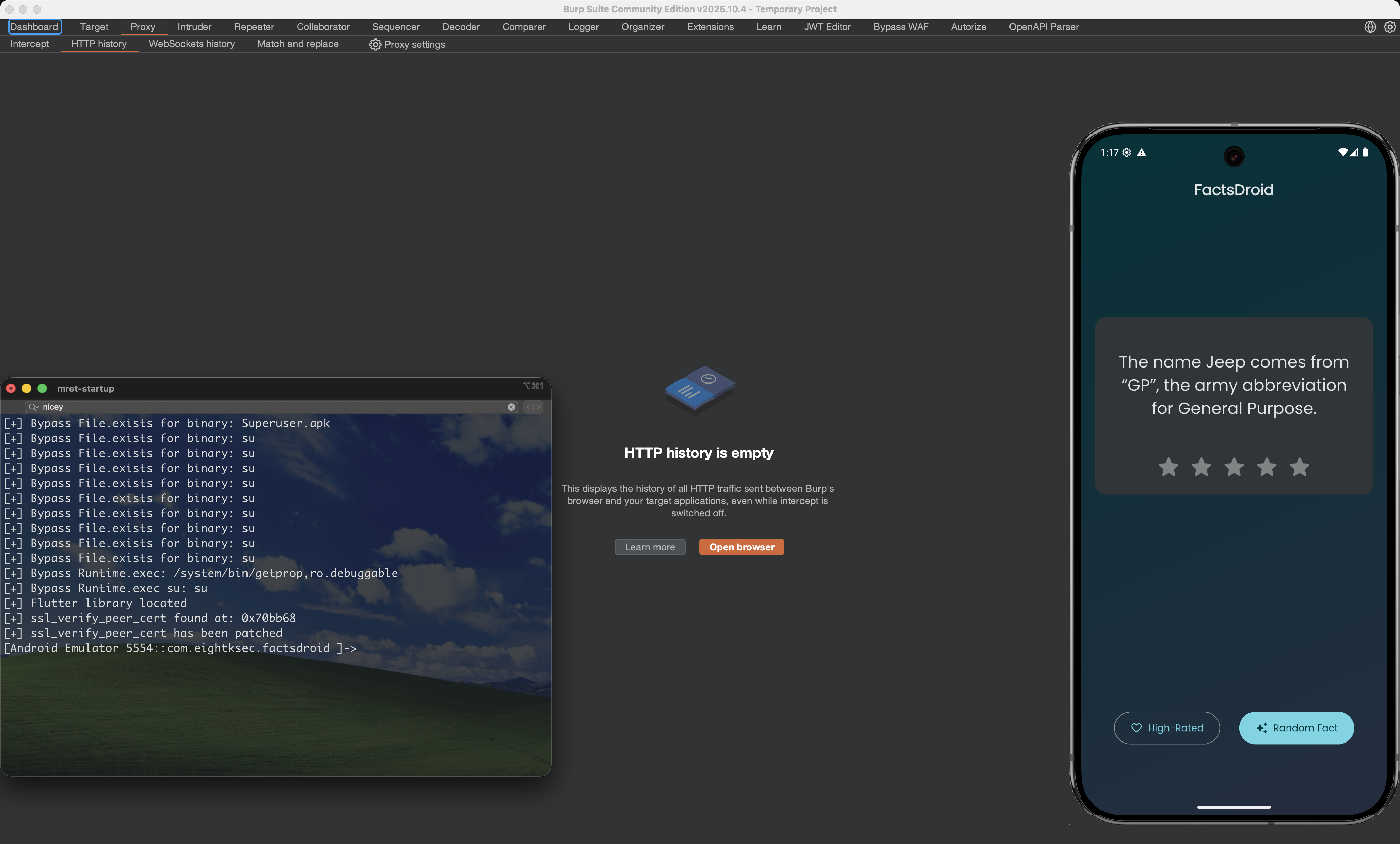
No HTTP Traffic with TLS Bypassed
Slight Network Issue
Flutter apps usually don’t know how to “use a proxy”, so you have to both steal their traffic (DNAT) and make Burp behave like the real server (invisible proxy).
- DNAT: Forces the app’s traffic, which is going straight to
uselessfacts.jsph.pl:443(forhttps://uselessfacts.jsph.pl/api/v2/facts/random), to instead go to your Burp Suite listener without the app realizing anything changed. - Invisible proxy: Tells Burp to accept these “normal” direct HTTP(S) connections (not proxy-style requests) and still forward them correctly, as if it really were
uselessfacts.jsph.pl.
You need DNAT because the Flutter app ignores proxy settings and connects directly to the server, so you have to transparently reroute its packets.
You need invisible proxy because once those packets hit Burp, they don’t look like proxy requests; they look like direct HTTP(S) to a server, and invisible mode is what lets Burp understand and handle that style of traffic.
Now that I have an understanding of my issue, I can proceed with the knowledge of how Flutter apps handle network traffic. Below is a Python script that will auto detect your IP, ADB Device and setup iptables on said device with the port you assign it (in my case Burp is listening on port 8090).
#!/usr/bin/env python3
# Made By. https://github.com/L0WK3Y-IAAN
import subprocess
import sys
import re
import platform

port_input = input("Enter the port you want to use for Burp: ")
BURP_PORT = int(port_input)

def run(cmd):
    print(f"[+] Executing: {cmd}")
    result = subprocess.run(cmd, shell=True, capture_output=True, text=True)
    return result.stdout.strip()

def get_interface_ip():
    system = platform.system().lower()

    if "darwin" in system:  # macOS -> en0
        print("[+] Detected macOS -> Using interface en0")
        out = run("ipconfig getifaddr en0")
        if out:
            print(f"[+] en0 IP = {out}")
            return out
        print("[-] Could not get an IP on en0. Try changing interface.")
        sys.exit(1)

    elif "linux" in system:  # Linux -> eth0
        print("[+] Detected Linux -> Using interface eth0")
        out = run("ip addr show eth0")
        m = re.search(r"inet (\d+\.\d+\.\d+\.\d+)", out)
        if m:
            ip = m.group(1)
            print(f"[+] eth0 IP = {ip}")
            return ip
        print("[-] Could not get an IP on eth0. Check `ip addr`.")
        sys.exit(1)

    else:
        print("[-] Unsupported OS for automatic interface detection.")
        sys.exit(1)

def get_shell_prefix():
    """
    Detect whether we should use plain `adb shell` (adbd is root)
    or `adb shell su -c ...` (root via su).
    Returns a string like "" or "su -c ".
    """
    print("[+] Checking root method on device/emulator...")

    # Try su first
    out = run("adb shell su -c 'id' || true")
    if "uid=0" in out:
        print("[+] Root via su confirmed.")
        return "su -c "

    # Try adb root
    run("adb root")
    out = run("adb shell id || true")
    if "uid=0" in out:
        print("[+] adbd is running as root.")
        return ""  # no su needed

    print("[-] Could not obtain root. Need either `su` or `adb root`.")
    sys.exit(1)

def apply_dnat(host_ip, shell_prefix):
    print(f"[+] Applying DNAT -> redirect all HTTP/HTTPS to {host_ip}:{BURP_PORT}")

    # Flush old OUTPUT nat rules
    run(f"adb shell {shell_prefix}'iptables -t nat -F OUTPUT'")

    # Redirect HTTPS and HTTP
    run(f"adb shell {shell_prefix}'iptables -t nat -I OUTPUT -p tcp --dport 443 "
        f"-j DNAT --to-destination {host_ip}:{BURP_PORT}'")

    run(f"adb shell {shell_prefix}'iptables -t nat -I OUTPUT -p tcp --dport 80 "
        f"-j DNAT --to-destination {host_ip}:{BURP_PORT}'")

    print("\n[+] DNAT rules applied.")
    print("[+] Open FactsDroid and press 'Random Fact'.")
    print(f"[+] Burp (port {BURP_PORT}) should now see the traffic.\n")

def show_rules(shell_prefix):
    print("[+] Current nat table:")
    print(run(f"adb shell {shell_prefix}'iptables -t nat -L -n'"))
    print()

def main():
    print("=== DNAT Helper ===\n")

    shell_prefix = get_shell_prefix()
    host_ip = get_interface_ip()
    apply_dnat(host_ip, shell_prefix)
    show_rules(shell_prefix)

if __name__ == "__main__":
    main()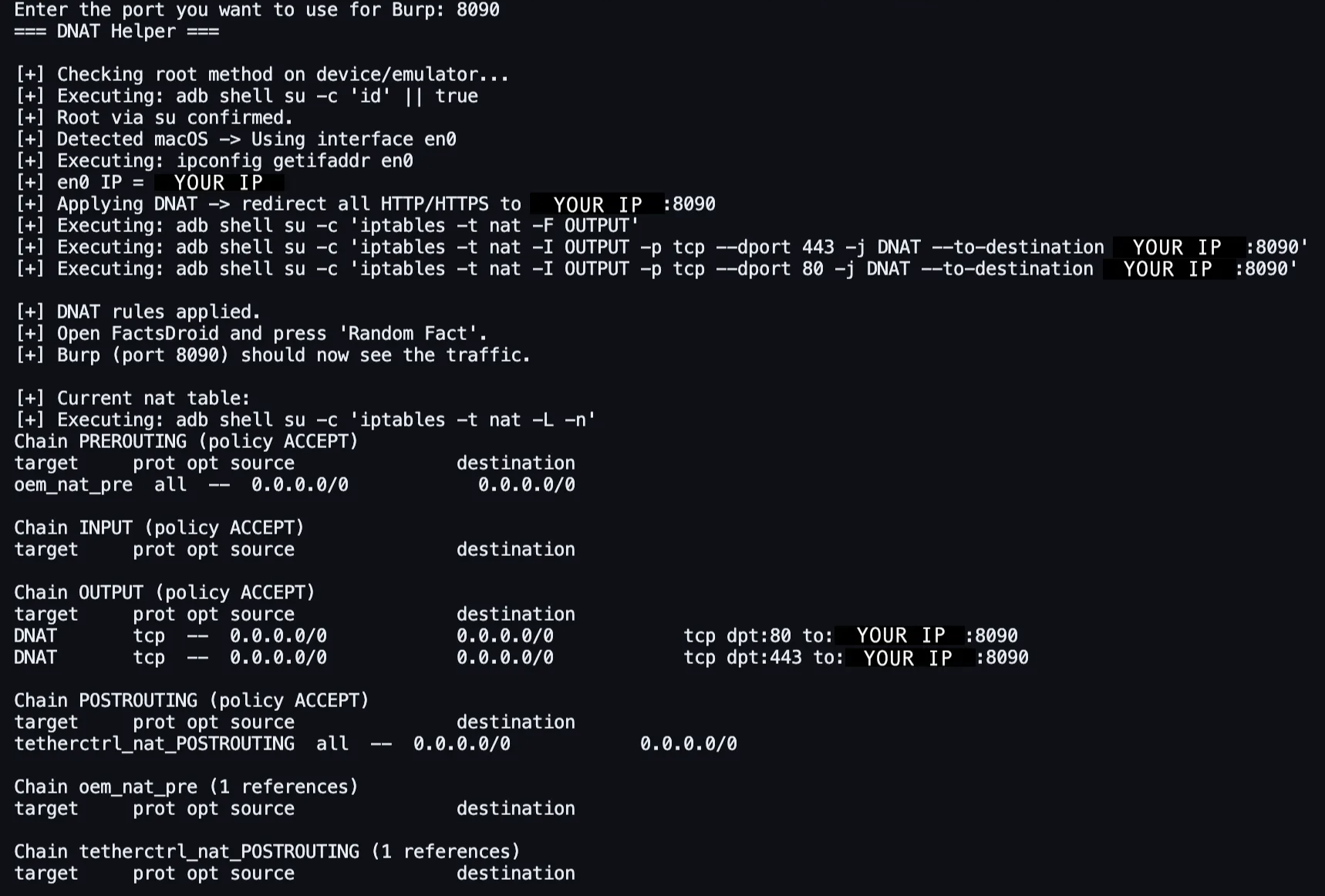
DNAT setup results
After bypassing root detections, Flutter TLS, and setting up DNAT I was finally able to successfully monitor traffic to and from the /api/v2/facts/random API endpoint.
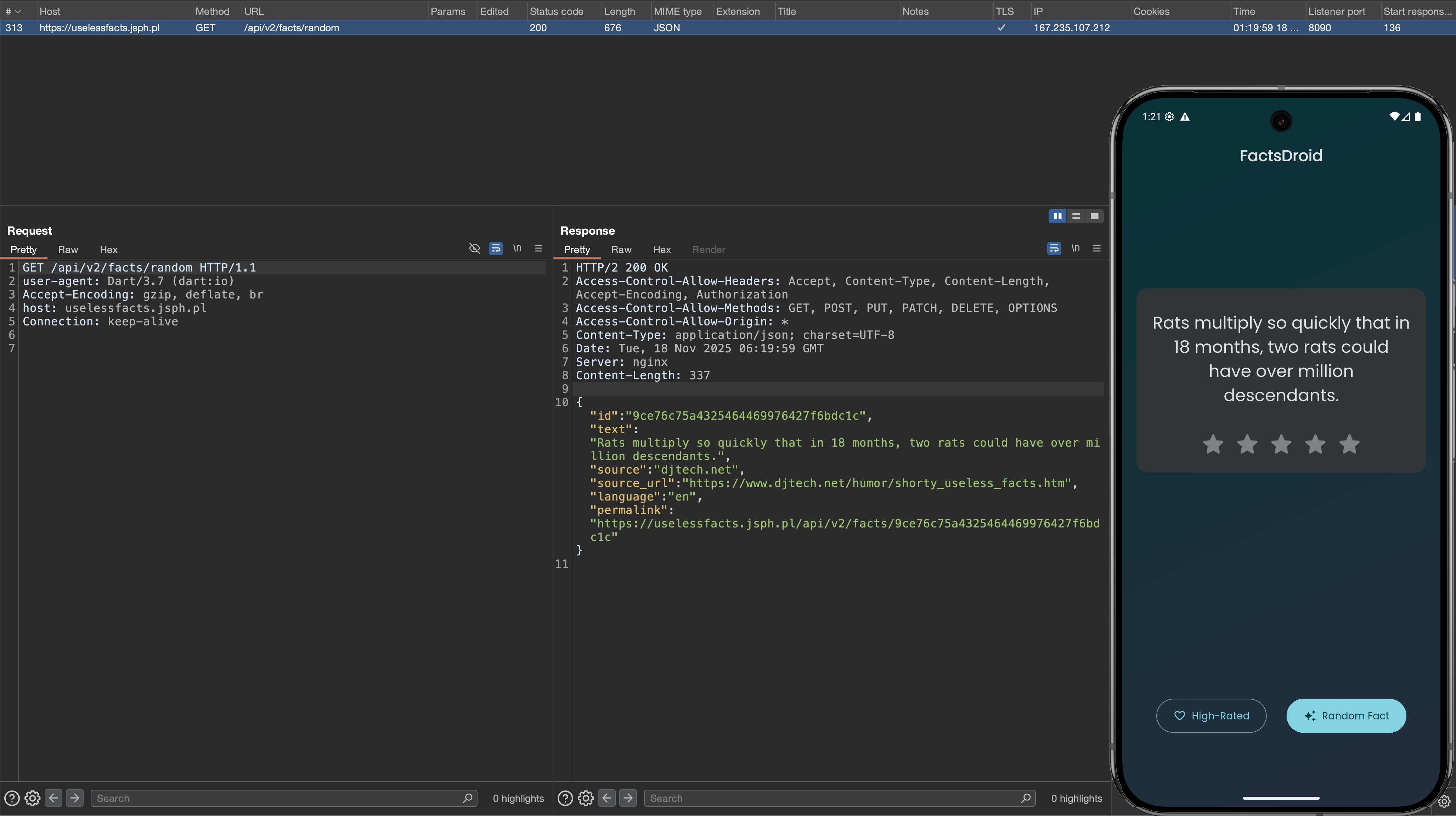
Working Req after DNAT + TLS Bypass
All that is left to do is to change the response of the sent back from the API endpoint.
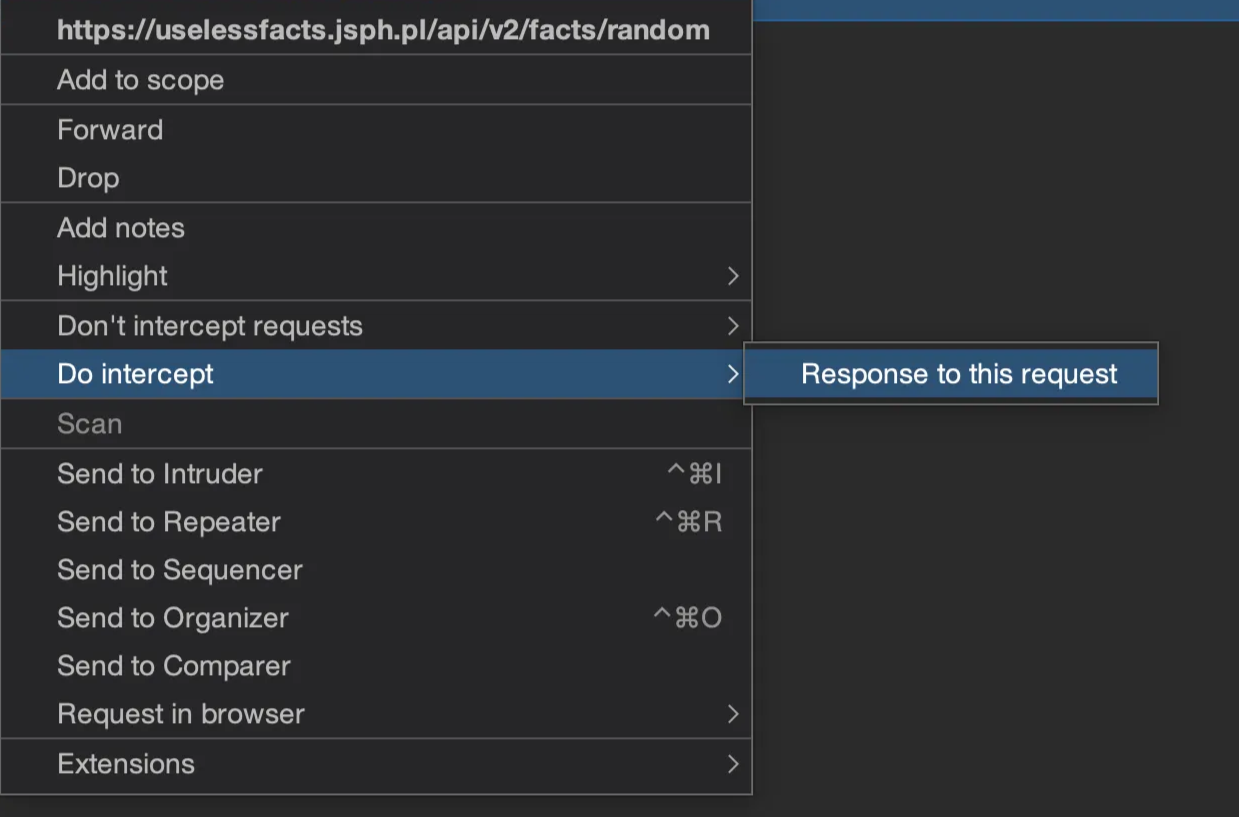
Enable the Intercept option “Response to this request”
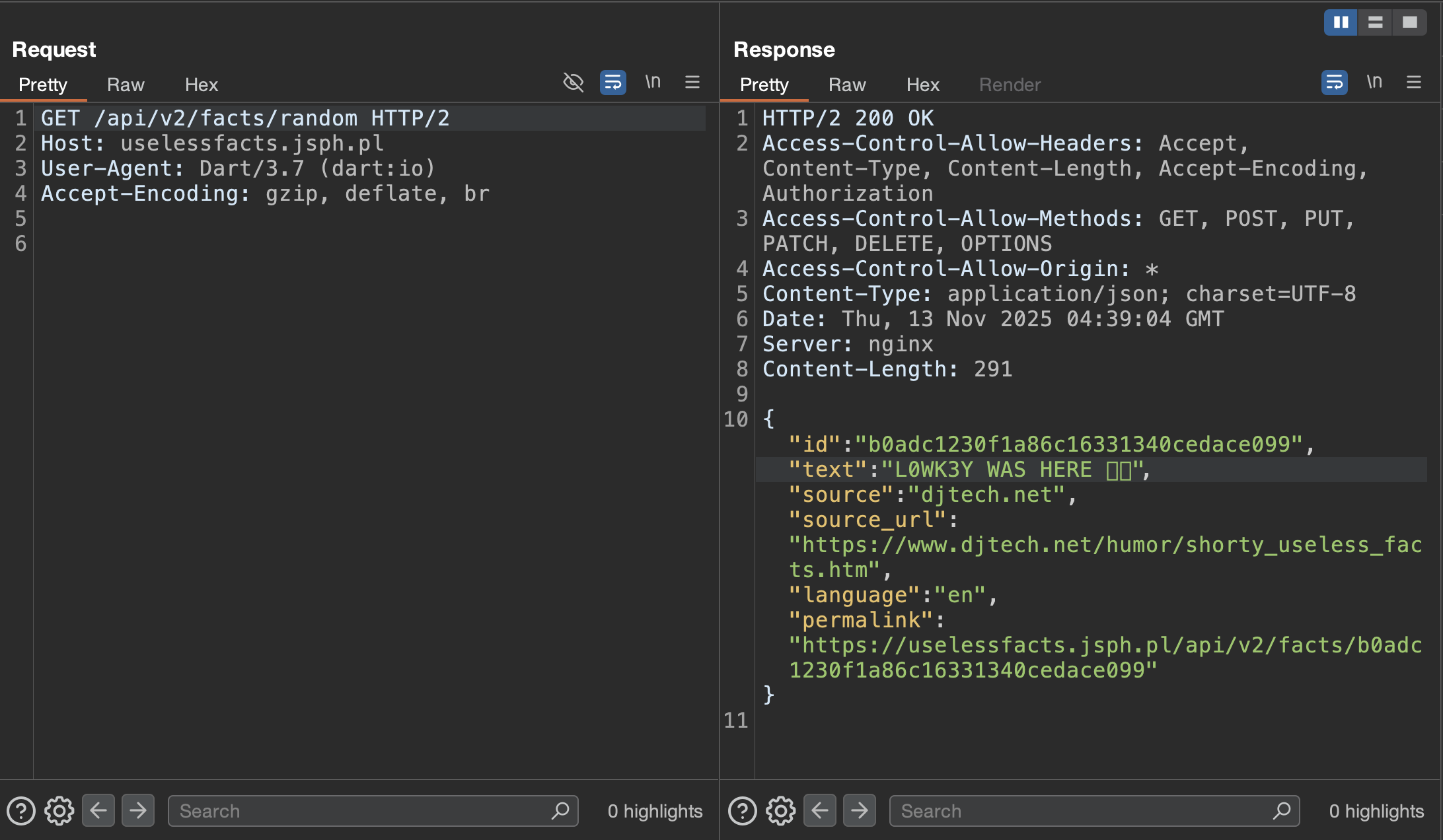
Forward the request and you will be able to edit the following response.
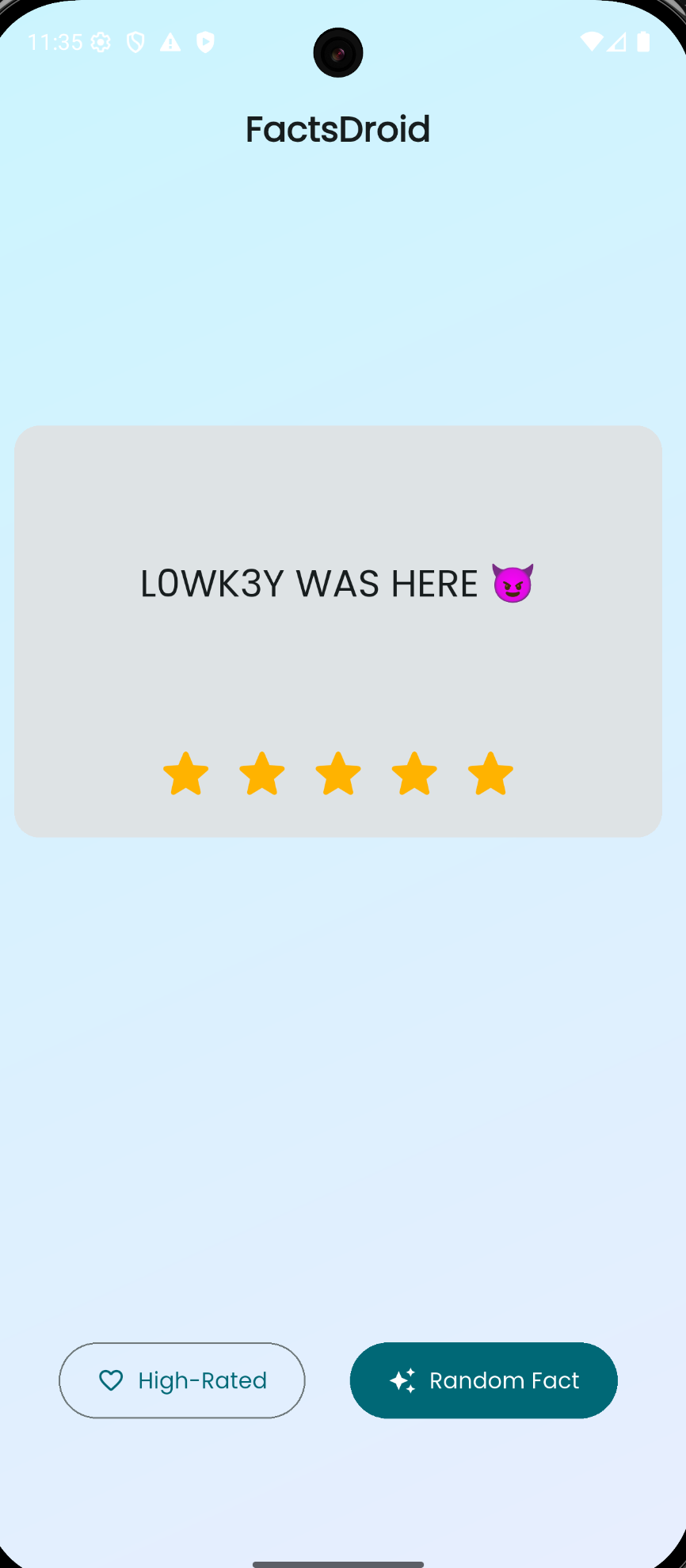
The Vulnerability? (Rabbit Hole)
This section is just a vulnerability research rabbit hole I went down trying to figure out why this application is vulnerable. This section can be skipped. For a while I was interested in testing out Djini.ai, an AI vulnerability scanner made specifically for scanning mobile applications. I proceed with trying a scan on FactsDroid to get an idea of what misconfigurations reside in the application, there was 1 High level vulnerability Insecure Network Configuration (HTTP Allowed).
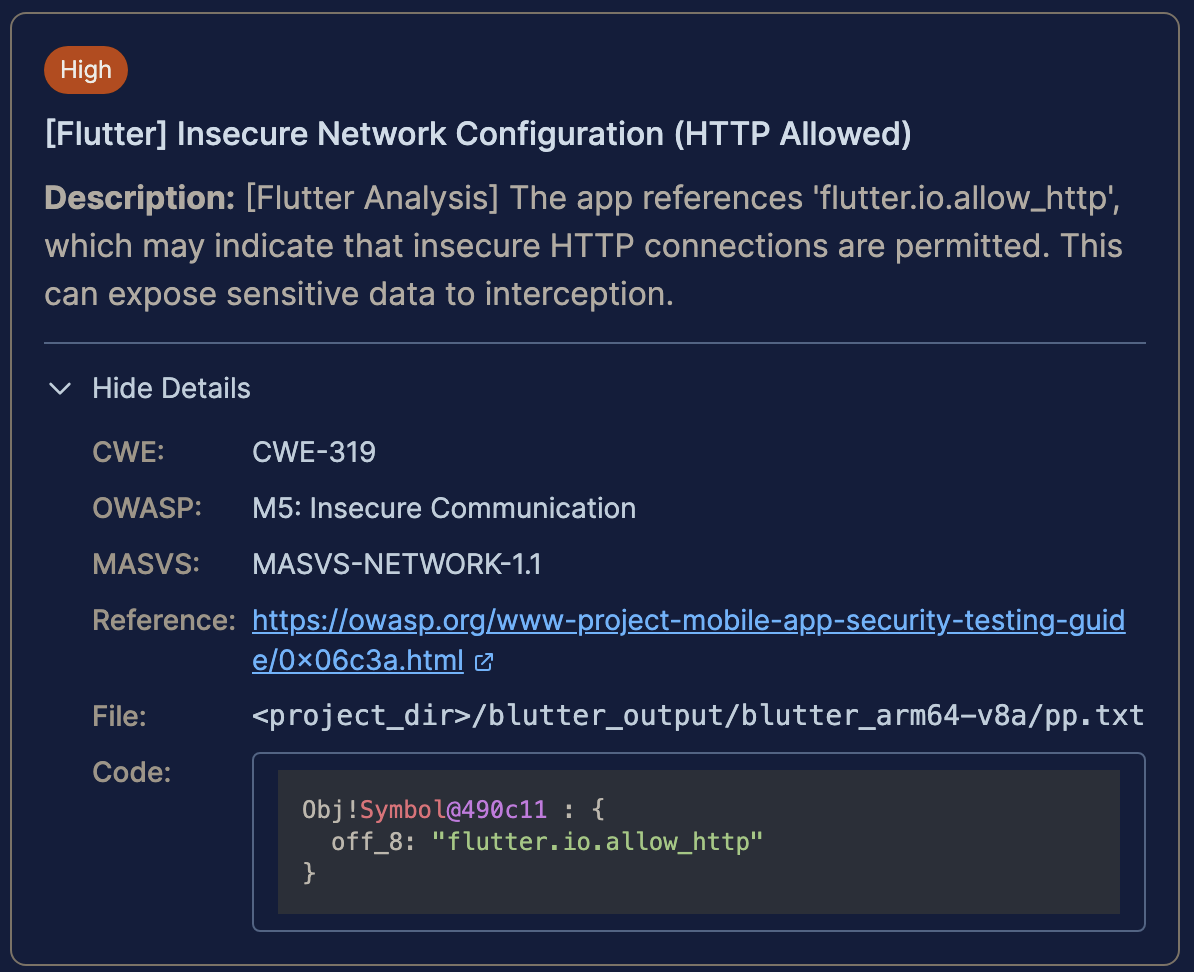

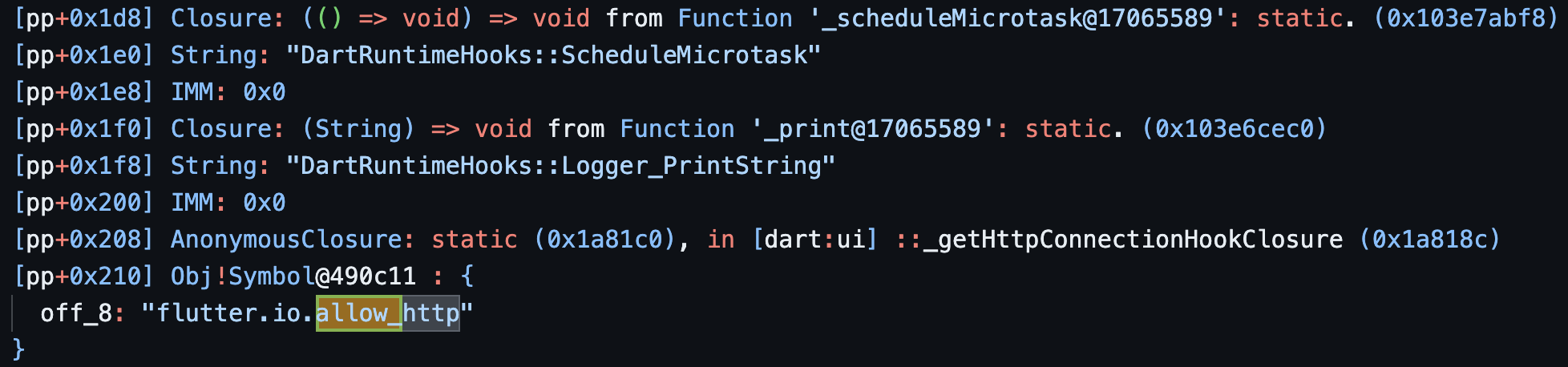
While this result does seem intriguing, after doing some research on Flutter Network Policy, here is what flutter.io.allow_http does (to my understanding).
flutter.io.allow_http is an internal engine “switch” exposed via Dart zones, not a normal public Flutter API, and it controls whether insecure http:// connections are allowed by dart:io’s HttpClient.
Inside the Flutter engine, the HttpClient uses a hook (_httpConnectionHook) that checks three things, in order:
- A zone value called
#flutter.io.allow_http. - The engine’s own setting about “may insecurely connect to all domains”.
- Whether the connection is loopback or HTTPS.
If the zone override #flutter.io.allow_http is set:
true→ allow HTTP connections.false→ block non‑HTTPS connections (except loopback).
This behavior is implemented in a closure returned by _getHttpConnectionHookClosure, which explicitly says in comments: zone override with flutter.io.allow_http takes first priority, then engine setting, then loopback allowance, otherwise it throws UnsupportedError("Non-https connection ... is not supported by the platform.").
While I was not able to find a XREF for the usage of flutter.io.allow_http in the blutter output, another thing to check for would be cleartextTrafficPermitted in the AndroidManifest (which also wasn’t present in FactsDroid during my research). While this rabbit hole didn’t lead anywhere, I at least gained a bit of insight as to how the Flutter engine works.
//Example of cleartextTrafficPermitted usage
<network-security-config>
  <domain-config cleartextTrafficPermitted="false">
    <domain includeSubdomains="true">api.yourdomain.com</domain>
  </domain-config>
Resources
https://docs.flutter.dev/release/breaking-changes/network-policy-ios-android
Related

Hunting With L0WK3Y (Ongoing Series)
Bug bounty and CTF write-ups, tools, cheat sheets and curated resources from L0WK3Y — served on a retro desktop. Opens the standalone Hunting With L0WK3Y site.

Exploiting the Ultimate Essay Grader: A Prompt Injection Deep Dive
A hands-on look at a direct prompt injection vulnerability in an AI essay grader — how a hidden instruction block forced a perfect score, mapped against Pangea's prompt injection taxonomy.

Bugforge.io Gift Lab Walkthrough
A gift-list app's "share link" turns out to be raw Base64 of a sequential list ID — enumerating tokens to access other users' private gift lists.